What are container images, really?
We write Dockerfiles, push to registries, pull and run containers every day. But what's actually inside that tarball?
$ docker save nginx:latest | tar -tv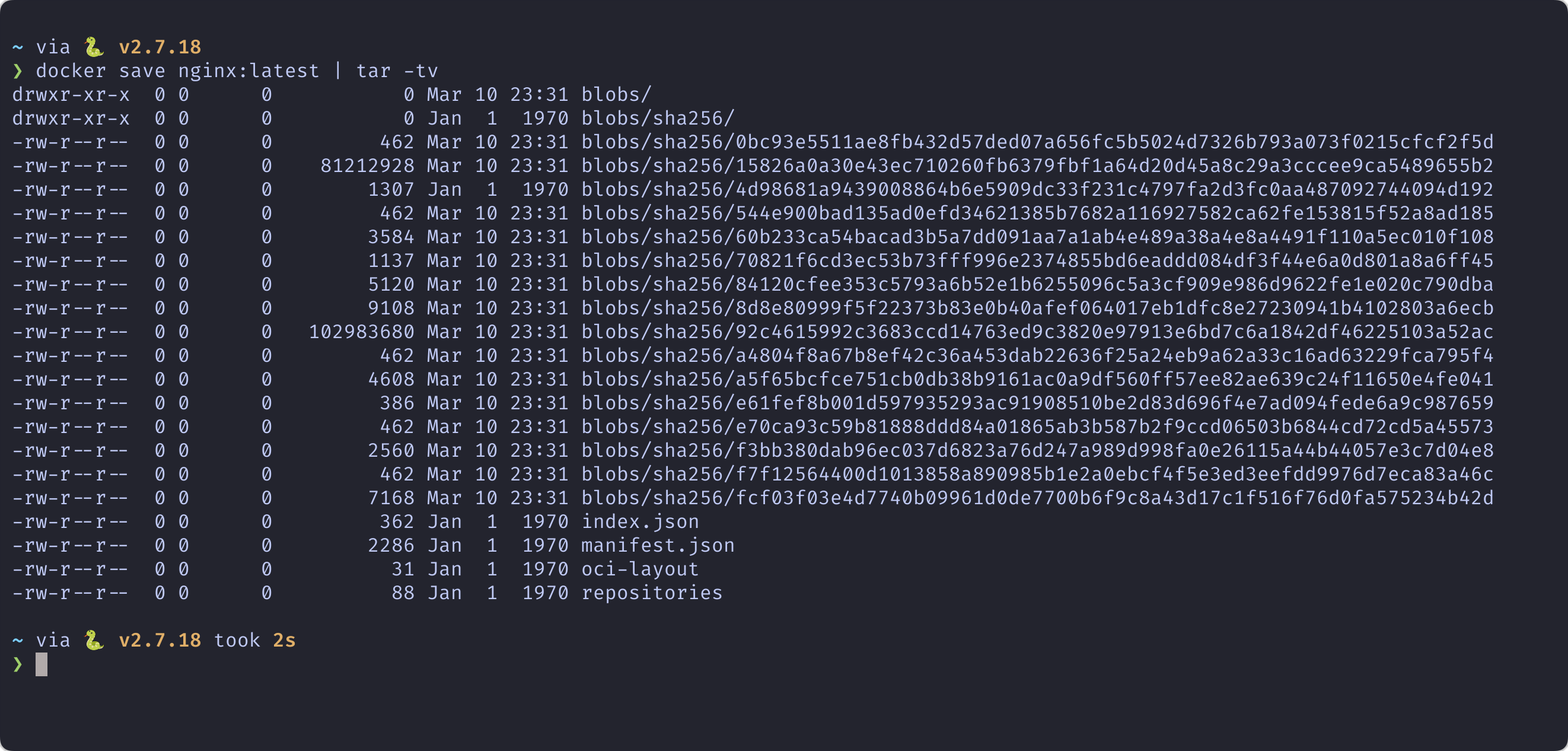
Let's Crack One Open
$ docker save nginx:latest -o image.tar
$ mkdir image_contents
$ tar -xf image.tar -C image_contents
$ tree image_contents/
manifest.json
The blueprint — points to config and ordered layers
config.json
Runtime DNA — env vars, cmd, ports, history
blobs/
Content-addressable filesystem layers (tarballs)
Layers: Stacked Filesystems
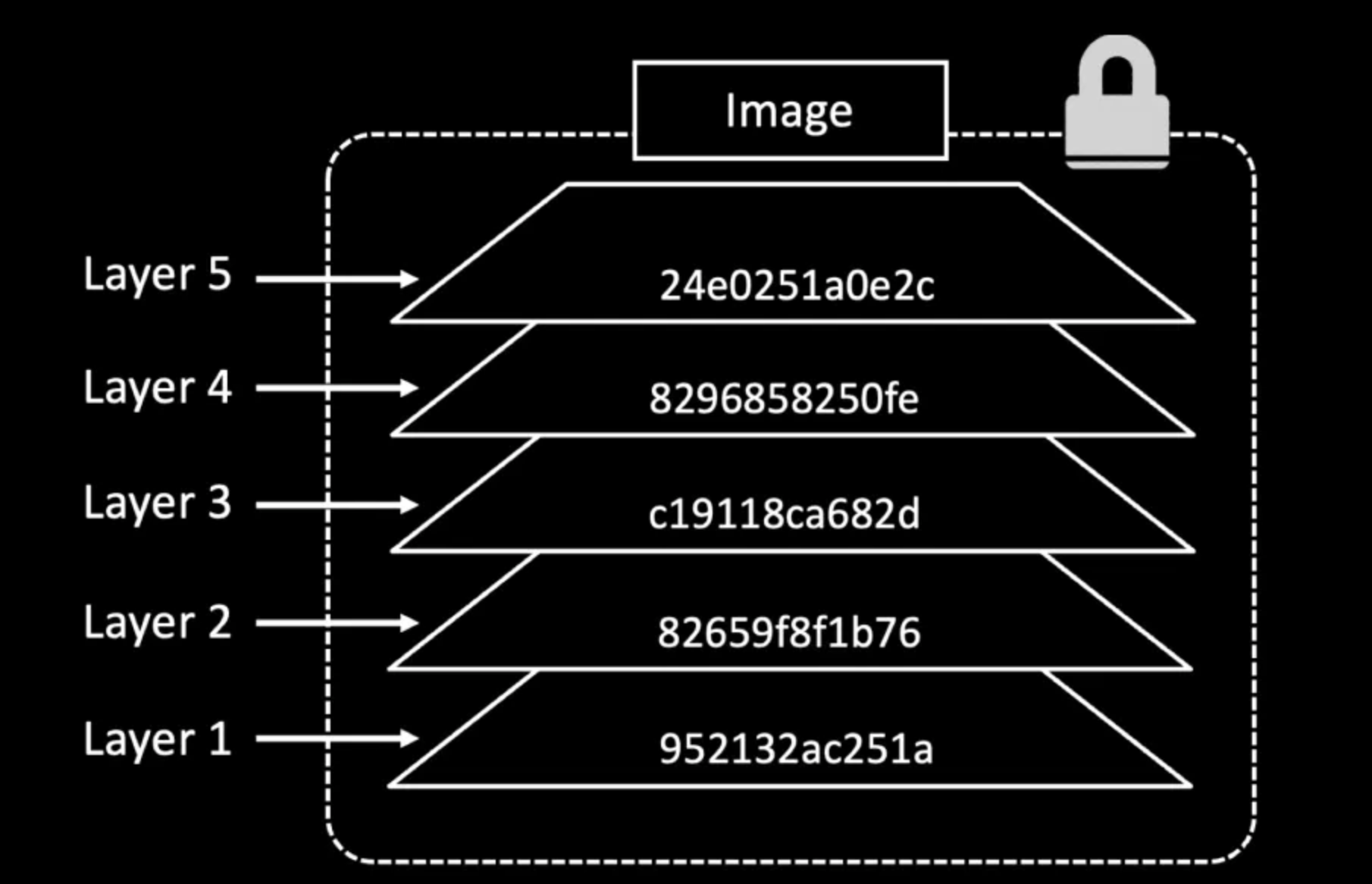
Each layer only contains changes from the previous one. Layers are immutable, shared across images, and are simply gzipped tar archives.
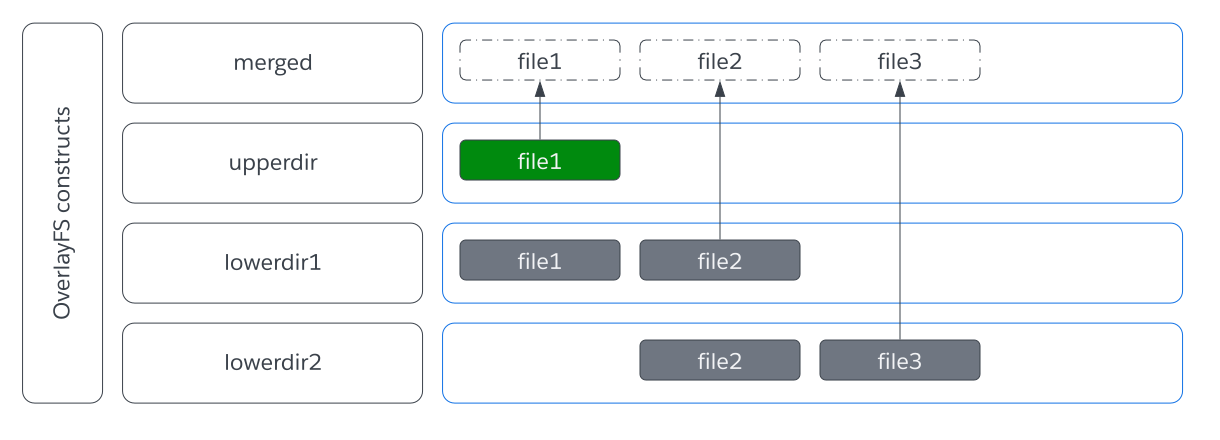
How Does It Work?
Containers use OverlayFS to merge layers into a single unified filesystem at runtime. A writable top layer captures all changes — the image layers below stay untouched.
Whiteout Files: Deletions in Immutable Layers
How do you delete a file when layers can't be modified?
# Layer 1
/app/secret.key
/app/config.yml

# Layer 2
/app/.wh.secret.key   ← "whiteout" marker
The file is hidden but still exists in Layer 1 — secrets can be extracted!
Smarter Dockerfiles
Sin #1: Cache Busting
Don't
COPY . .
RUN npm install
Do
COPY package*.json ./
RUN npm install
COPY . .
Sin #2: Secrets in Layers
Don't
COPY .env .
RUN ./configure.sh
RUN rm .env          # still in layer 1!
Do
RUN --mount=type=secret,id=env \
    source /run/secrets/env && \
    ./configure.sh
Sin #3: Image Bloat — Use Multi-Stage Builds
# Stage 1: Build
FROM golang:1.22 AS builder
WORKDIR /src
COPY . .
RUN CGO_ENABLED=0 go build -o /app

# Stage 2: Runtime (47x smaller!)
FROM scratch
COPY --from=builder /app /app
ENTRYPOINT ["/app"]| Approach | Size |
|---|---|
| Single stage (Go toolchain + cache + binary) | 715 MB |
| Multi-stage (scratch + binary) | 15 MB |
Tools for the Curious
Interactive layer explorer — see what each layer adds
Vulnerability scanner for container images
Dockerfile linter — catch bad practices before build
Key Takeaways
- Images are just tarballs of tarballs with JSON metadata
- Layer order matters — put rarely-changing stuff first
- Deleted files still exist in previous layers
- Use BuildKit secret mounts — never COPY secrets